magic-wormhole: Secure File Transfer with a One-Time Code
Table of Contents
Hello everyone,
today I want to show you a small CLI tool that I keep coming back to in support and incident situations: magic-wormhole. It solves a problem that shows up in everyday businesses more often than any glossy “enterprise” story: you need to get a file (or a directory) to someone right now, but email is too small, a cloud link is politically or legally tricky, and “just open a port real quick” is not an option.
Friday, 4:47 PM. A company with around 60 employees has an urgent issue: the central file server is slow, users report timeouts, and the external IT provider asks for a support bundle with logs and a small config export. The bundle is close to 900 MB. Email blocks it, SharePoint is off-limits for compliance reasons, and spinning up some ad-hoc FTP server is a nightmare you really do not want to create in 2026.
This is exactly what magic-wormhole is built for: exchange a one-time code, transfer the file end-to-end encrypted, done.
What is magic-wormhole?
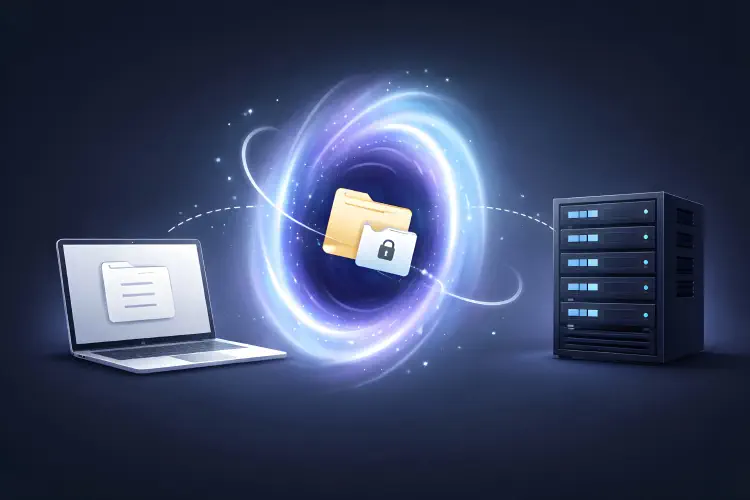
magic-wormhole is a lightweight tool for ad-hoc file transfers between two computers. The trick is the wormhole code (for example 7-coral-lion): both sides enter the same code, and that bootstraps an end-to-end encrypted connection.
What matters is what magic-wormhole does not require:
- no account
- no login portal
- no “upload somewhere and share a link”
- no inbound firewall rules
Both sides only need wormhole installed and outbound internet access. In practice: if HTTP(S) outbound works, magic-wormhole usually works too.
A Real-World SMB Case
Back to Friday. The pragmatic flow typically looks like this:
- Create a support bundle (logs, export, a few screenshots).
- Optionally compute a hash so you can confirm later that the exact package arrived.
- Send the bundle via magic-wormhole.
- Share the code over a second channel (phone call, separate chat, read it out loud).
On the sender side:
tar -czf support-bundle.tgz ./logs ./config-export
sha256sum support-bundle.tgz
wormhole send support-bundle.tgz
magic-wormhole prints the code. The receiver runs:
wormhole receive
Enter the code, the download runs, and then you can compare hashes. In real life, this combination of “fast” and “still clean” is incredibly useful for many small and midsize companies.
How I Use It in Practice
Send a File from A to B
Sender:
wormhole send /path/to/file.zip
Receiver:
wormhole receive
The download lands in your current directory. I often create a quick folder so nothing ends up lost between Downloads and the Desktop:
mkdir -p ~/wormhole-recv && cd ~/wormhole-recv
wormhole receive
Send Directories
If you need to ship an entire folder:
wormhole send --dir ./support-bundle/
What Happens Behind the Scenes (Short and Without Marketing)?
Under the hood, magic-wormhole does three things you would otherwise have to build the hard way: find peers, negotiate keys safely, move data reliably, even when NAT and firewalls are annoying.
| Step | What happens | Why it matters |
|---|---|---|
| 1. Code | The sender generates a short one-time code. | A simple shared secret for this transfer. |
| 2. Rendezvous | Both clients connect to a rendezvous server (by default the public “mailbox”). | The peers find each other without inbound ports. |
| 3. PAKE | A shared key is derived from the code via SPAKE2 (PAKE). | End-to-end keying without classic key management. |
| 4. Data path | It tries a direct connection first; if that fails, it falls back to a relay/transit server. | Works behind NAT and in typical corporate networks. |
| 5. E2E transfer | Data is encrypted and integrity-protected end to end. | The relay only sees ciphertext. |
The key point: the rendezvous/relay pieces are infrastructure, but not the place where your data lives in plaintext.
Security: Strengths, Limits, and a Few Rules
What I like about magic-wormhole is that the security model is pretty honest: it is end-to-end encrypted, but identity does not come for free.
What You Get
- End-to-end encryption: content is protected between sender and receiver, even when a relay is used.
- Short-lived access: the code is meant for one transfer, not as a long-term password.
- Small attack surface: no server you need to harden, no user management, no web UI.
What You Need to Watch Out For
- The code is the password. Whoever has the code is “your peer”. If the code ends up in an open ticket, that is a problem.
- No audit by default. For some companies that is a feature, for others a deal-breaker. If you need DLP, approvals, and traceability, use an official channel.
- Endpoints are still the truth. If the sender is compromised, it can send garbage. If the receiver is compromised, the file is compromised after receipt.
Practical Rules (That Actually Help)
- Do not share the code in the same channel as the ticket link or the file context. Best: phone call or a separate private chat.
- Assume logs can contain tokens, hostnames, or personal data. Only send what is necessary.
- For critical artifacts: send a hash separately and verify after receipt.
Installation (Short and Realistic)
On many systems this is a one-liner via the package manager:
- Debian/Ubuntu:
sudo apt install magic-wormhole - macOS:
brew install magic-wormhole
If distro packages are outdated, pipx is often the cleanest option:
pipx install magic-wormhole
pipx ensurepath
And if you do not want Python at all (minimal server, container, rescue environment): wormhole-william is a compatible Go port as a single binary.
Automation and Self-Hosting
For controlled workflows, magic-wormhole can be scripted:
CODE="5-alpaca-orbit"
wormhole send --code "$CODE" /path/to/db.dump
Receiver:
wormhole receive --code "$CODE" --accept-file
This is handy, but once you hard-code a code, you are back to credential management. If you automate it, do it with proper secret handling and short lifetimes.
If you want full control over rendezvous/relay, you can point the client at your own infrastructure, including:
--relay-urlfor your own rendezvous server--transit-helperfor your own transit relay
Conclusion
magic-wormhole is not a replacement for established, managed transfer workflows. But as an everyday tool it is excellent: fast, low-friction, and backed by a clear security model.
Especially in the SMB world, where there is often neither the time nor the appetite to spin up new approvals for every support case, a tool that is “secure enough and immediately usable” is often exactly what you need.
Sources and Further Reading
- magic-wormhole documentation (Read the Docs)
- magic-wormhole on GitHub
- wormhole-william (Go, single binary)
- magic-wormhole on PyPI
Until next time,
Joe