Sophos Firewall: No CVEs, But Plagued by Bugs (v21.5 to v22)
Table of Contents
If you’re currently working in the firewall space, you’re usually battling one of two major evils: Either you’re constantly stressed about critical vulnerabilities (CVEs, like Fortinet right now) and spending your nights patching—or your systems throw so many obstacles your way during regular operations due to unstable firmware and annoying bugs (like Sophos right now) that you can’t get anything else done.
At my job at the company, the latter is exactly what’s happening—a stress that I naturally end up taking home with me sometimes. Our current pain point goes by the name of: Sophos Firewall.
While competitors like Fortinet seem to fire out new PSIRT advisories on a weekly basis, keeping administrators rotating in a constant patching cycle, Sophos is massively eating up our time. Not because of headline-grabbing vulnerabilities, but because of completely mundane, yet critical, bugs in day-to-day operations.
Disclaimer, so this doesn’t sound like comparing apples to oranges: I am fully aware that Fortinet also struggles with massive bugs (think Conserve Mode and Memory Leaks in FortiOS 7.2/7.4/7.6) and that Sophos has certainly had its share of severe CVEs in the past. However, in the current v21.5/v22 phase, this specific constellation is exactly where it hurts for us: With one vendor, it’s constant CVE patching; with Sophos, it’s unnecessary ops work caused by stability issues.
Version Context (TL;DR)
Just to be clear that I’m not writing about some dusty v19, but about what many are currently running as “up to date”:
- SFOS 21.5 GA (2025-06-02): Release Notes: SFOS 21.5
- SFOS 21.5 MR2 (Build 323, 2026-02-18): According to the release notes, the latest 21.5 in this timeframe.
- SFOS 22.0 GA (December 2025) and v22 GA Re-Release (Build 411, 2026-01-20): Release Notes: SFOS 22.0
These are GA and Maintenance Releases, not “random nightlies”.
To ensure this comparison isn’t just based on feeling, here is a quick reality check.
Fortinet: FortiOS CVEs since November 2025 (As of 2026-02-26)
Timeframe: 2025-11-01 to 2026-02-26 (Published Date). Source: Fortinet PSIRT Advisories (PSIRT Overview).
I’m deliberately not listing “everything Fortinet” here, but only the FortiOS/FortiGate-relevant advisories in this period, because in practice, that’s the pain: You have to patch, plan, test.
CVSS isn’t everything, but it makes the operational contrast visible: A Medium with 5.x is often plannable, a 9.x quickly becomes a “drop everything and patch” scenario.
Published February 10, 2026 (Multiple advisories on the same day)
- FG-IR-25-667 (CVE-2025-55018, CVSSv3 5.2): Request smuggling in the FortiOS GUI. Unpleasant also because it involves “unlogged requests”.
- FG-IR-25-795 (CVE-2025-64157, CVSSv3 6.7): Format-String problem in CAPWAP Fast-Failover mode (Admin/Config as trigger).
- FG-IR-25-1052 (CVE-2026-22153, CVSSv3 7.5): LDAP Authentication Bypass in Agentless VPN/FSSO (Workaround in practice often: disable unauthenticated bind on the LDAP server).
- FG-IR-25-934 (CVE-2025-68686, CVSSv3 5.3): SSL VPN Symlink Persistence Patch Bypass. Important for context: According to the advisory, it requires prior compromise via another vulnerability at the file system level.
- FG-IR-25-384 (CVE-2025-62439, CVSSv3 3.8): Policy Bypass in the FSSO Terminal Services Agent (Fix is a combination of FortiOS version and minimum version of the TS Agent).
January 2026
- FG-IR-26-060 (CVE-2026-24858, CVSSv3 9.4), published 2026-01-27: Administrative FortiCloud SSO Auth Bypass. The advisory also describes exploitation in the wild and specific countermeasures.
- FG-IR-25-084 (CVE-2025-25249, CVSSv3 7.4), published 2026-01-13: Heap-based buffer overflow in the
cw_acddaemon (FortiOS/FortiSwitchManager).
Published December 9, 2025
- FG-IR-25-647 (CVE-2025-59718, CVE-2025-59719, CVSSv3 9.1): FortiCloud SSO Login Auth Bypass via crafted SAML Message (Feature not mandatory default, but real in the field).
- FG-IR-25-411 (CVE-2025-62631, CVSSv3 5.3): Insufficient Session Expiration in SSL VPN (Session lifetime/Password Change Edge Case).
- FG-IR-24-268 (CVE-2024-47570, CVSSv3 6.3): Sensitive Information ends up in REST API Logs (if REST API logging is active).
- FG-IR-24-133 (CVE-2024-40593, CVSSv3 5.9): Private key can be read by Admin (Key management error, fixable via patch level).
Published November 18, 2025
- FG-IR-25-358 (CVE-2025-53843, CVSSv3 6.9): CAPWAP daemon Stack buffer overflow.
- FG-IR-25-632 (CVE-2025-58413, CVSSv3 6.9): Another CAPWAP daemon Stack buffer overflow.
- FG-IR-25-545 (CVE-2025-54821, CVSSv3 1.8): Trusted hosts Bypass via SSH (CLI Edge Case).
Yes, that is a lot. And yes, you can manage that with processes (Patch Window, Staging, Change Management, Maintenance Windows).
And then comes the other side.
Sophos: No Headlines, But Operations is on Fire
With Sophos, of course, we also talk about security. But what is really eating up our time right now are simply bugs.
We currently have so much unnecessary work in the company because the firewall is just causing problems. And at some point, you catch yourself asking a question that is actually absurd:
What do I prefer: a firewall with a security vulnerability that runs stably, or a firewall without major CVE headlines that doesn’t come back up after a boot?
This is not an academic debate. This is Operations. Sadly, I almost prefer a theoretical security vulnerability that might be exploited at some point over a customer whose network is completely down for several hours again because of a mundane bug.
Our Current Pain Points (Yes, All at Once)
And to be clear: These are just the bugs that we’ve had multiple times and on different systems in recent months. It is just grueling and frustrating when operations turns into a project. Especially when you end up on the Sophos Support merry-go-round again, and they like to pretend you’re “the first and only customer worldwide with exactly this problem.” No, we are not.
- The firewall sometimes doesn’t come up cleanly after a boot.
- The HA cluster breaks apart or behaves like split-brain.
- Logging is suddenly unreliable (or completely gone).
- Let’s Encrypt certificates are not renewed, and you have to follow up manually at night.
- An interface is missing or suddenly no longer visible in the GUI.
- SSDs are dying (broken hardware).
- The WebAdmin login goes on strike completely – you can no longer log in, often only a reboot helps.
- Interfaces suddenly go entirely missing in the config.
- The log disk fills up, causing error messages to appear or affected services to stop directly.
What the Community is Saying (You Are Not Alone!)
If you look around the Sophos Community (as of early 2026), the picture of declining quality sadly aligns with our experiences. In addition to our problems, other users are encountering even more severe showstoppers in v21.5 / v22:
- Broken SSL VPN Profiles (v22.0 Build 411): Some users report that after upgrading to the latest v22, creating SSL VPN profiles fails. They sometimes had to roll back to v21.5 because the new version is simply too buggy.
- Broken SNAT / Web Server Access (v22.0 Build 365): There are reports that after the update, access to internal web servers from the outside breaks. Often, internet routing goes on strike completely until SNAT is manually reset to the default MASQ option.
- CLI Spam / “Invalid rule id”: Mass warnings like “Invalid rule id or family for update” appear in the console. (This seems to be “just” a display error, but it pointlessly floods the logs).
And the bitter part of all this: Every single one of these things is not just annoying, it’s a massive risk. If logs are missing, you are flying blind. If HA is shaky, you lose trust in failover. If certificates aren’t renewed, you build workarounds. And workarounds are the breeding ground for later incidents.
Sophos Bugs (v21.5 to v22): Directly Hitting Your Symptoms
I deliberately list specific NC-IDs from the official release notes or officially documented Known Issues here so that you, as an admin, can clearly track this.
TL;DR: Symptom -> What the Notes Say
| Symptom in Operations | Examples from Release Notes / Known Issues |
|---|---|
| Boot/Restart does not come up cleanly | NC-151715, NC-152641, NC-123910 |
| HA shakes or escalates during failover | NC-142962, NC-132291, NC-147307, NC-147739, NC-149039 |
| Logs/Reports are gone or unreliable | NC-158526, NC-160962, NC-157663, NC-169237, NC-135594, NC-175936, NC-170292, NC-166381 |
| Let’s Encrypt/WAF is causing stress | NC-148937, NC-152022, NC-140663, NC-141062, NC-152540, NC-146082, NC-159041 |
| Entra SSO/Captive Portal/VPN Portal acting up | NC-167126, NC-157635, NC-167130, NC-167128 |
| VPN/IPsec doesn’t come up or interop breaks | NC-136352, NC-128116 |
| Traffic Drops without clear rule cause | NC-169842 (and keep IPS/Snort in mind as cause after upgrades) |
| Interface “missing” (UI) | Known Issue: Interface names with 10+ digits make interfaces invisible in WebAdmin view |
An Annoyed Story from Operations
We sit there in the morning doing what you always do: Working through tickets, planning changes, reading monitoring.
And then the firewall knocks on the door, without knocking.
Not with a CVE, not with a “Critical Advisory”. But with everyday life.
First coffee, first restart, and the question in your head: Will it come back up or not?
If things go well, it comes up. If things go badly, it lands somewhere between “Failsafe” and “alive, but not processing traffic”. And while you’re still wondering if you really need a console again, the next chapter opens.
HA. Your airbag. And sometimes it feels like the airbag deploys while parking.
Then logging. We all know: If you can’t see what’s happening, you can’t control it. And suddenly logs are missing, reports are empty, or a service says goodbye. You stand there wondering if you currently have a security problem, a data quality problem, or both.
And then comes the showstopper: WAF, Reverse Proxy, Let’s Encrypt.
You don’t even want to be fancy. You just want certificates to be renewed and your websites not to scream “connection refused” at 02:13 AM.
And as a bonus, an interface is “gone”. Not really gone, just gone in the UI. Traffic might even be running, but you can’t see what you need to debug.
At some point, you ask yourself this question that is actually absurd:
What do I prefer: a firewall with a security vulnerability that runs stably, or a firewall without major CVE headlines that operationally burns new holes in my floor every week?
1) Boot, Reboot, Upgrade: “It’s alive, but not working”
If a firewall doesn’t come up cleanly after a boot, that’s not just “uptime”. That’s a lost day plus risk, because in a situation like that, you tend to do things you would never otherwise do.
A few examples from SFOS 21.5 Release Notes:
- Failsafe during restart: NC-151715 (Firmware Management): Auxiliary device went into Failsafe during restart; restart failed.
- Traffic stops after upgrade: NC-152641 (Firmware Management): After upgrade (21.0 MR1 Build 237), no more traffic was processed (SWAP Memory Config Changes).
- Kernel Panic: NC-123910 (Firewall): Kernel panic issue.
And yes: SFOS 22.0 introduces an additional upgrade factor: Sophos points out in the Release Notes that v22 brings architectural changes and that in rare cases additional manual steps may be necessary. This is exactly the kind of upgrade edge case that hurts in operations.
2) HA: The Airbag That Deploys While Parking
HA is your safety net. And that’s exactly why it hurts so much when edge cases escalate right there.
From the SFOS 21.5 Release Notes (Selection):
- HA Event Tracking stops on simultaneous restarts: NC-142962 (HA).
- Firmware Upload on Passive hangs: NC-132291 (HA).
- Failover leads to Restart Loop: NC-147307 (HA) (explicitly e.g. XGS 2300 in the notes).
- Sync fails after Power Outage: NC-147739 (HA).
- HA Status flapped, Crash Dump on Dedicated Link: NC-149039 (HA).
3) Logging and Reporting: When You’re Flying Blind
This is the real reason for me why “bugs” aren’t just “operations”. When logging/reporting is shaky, it’s a security problem.
From the SFOS 21.5 Release Notes (Selection):
- Logging/Reporting stops sporadically; Garner coredump frequently: NC-158526 (Logging Framework).
- Garner and
fwcm-heartbeatdstop: NC-160962 (Logging Framework). - After Upgrade: no more reports: NC-157663 (Logging Framework).
- Log Viewer loses events due to DB Corruption: NC-169237 (Logging Framework).
- Syslog fd corruption, data goes to wrong FD: NC-135594 (Logging Framework).
Additionally, you’ll find a few items in the Sophos Known Issues List (KIL) that are just as painful in everyday life:
- Log Viewer shows no new data (active.db missing): NC-175936 (Logging Framework). On some 21.5.1 systems, the
active.dbunder/tmp/eventlogs/might be missing. Then the Log Viewer “freezes”, although traffic and security functions continue to run. According to KIL, this is fixed in v22 and should be included in a 21.5 MR2 fix. - False Positive “advanced threat detected” in HA: NC-170292 (Logging Framework). Sophos Central can send an alert in HA deployments, including raw logs in the description. Workaround according to KIL: restart Garner service. KBA: https://support.sophos.com/support/s/article/KBA-000043672
- ReportDB_v9 shows STOPPED (looks dramatic, but isn’t): NC-166381 (Reporting). After upgrading to v21.0 GA or later, the service appears as STOPPED after a very specific period of time. According to KIL, this is expected and has no operational impact because it only affects legacy reporting prior to v21.
And here comes the “Sophos Central Factor”: If you use Central as a Single Pane of Glass, a logging problem hurts twice as much. If the local logging pipeline (Garner/DB) tips over, the upload to Central Firewall Reporting (CFR) can also fail or hang. And CFR isn’t always “realtime” anyway. Meaning: In the worst case, you’re not only missing local logs, but also exactly the central view that you actually wanted to rely on in everyday life.
4) WAF and Let’s Encrypt: Public Service, But Without the Drama Please
When certificates aren’t renewed and the reverse proxy spins out, that’s not “a little bug”. That’s direct Customer Impact.
In the SFOS 21.5 Release Notes you’ll find a whole family of WAF/Let’s Encrypt problems:
- Let’s Encrypt cert creation fails: NC-148937 (WAF).
- LE Request fails because Auto-Firewall-Rule is missing: NC-152022 (WAF).
- Invalid LE Config causes Reverse Proxy to constantly restart: NC-140663 (WAF).
- ACME does not issue certificates for IPs: NC-141062 (WAF).
- WAF Rule automatically toggles on/off: NC-152540 (WAF).
And then there are “looks like a bug, but is a security tradeoff” topics. Example from the KIL:
- Encoded slashes (
%2F) in URLs: WAF returns 404: NC-159041 (WAF). If your app uses encoded slashes in the URL, Apache blocks this by default (DirectiveAllowEncodedSlashesdefaults toNo) and you see 404, although the backend “actually” has the path. Background: encoded slashes can bypass path restrictions (classic example:.../something%2F..%2Fadmin). Details: https://httpd.apache.org/docs/2.4/mod/core.html#allowencodedslashes
And if you want to know what that looks like in the field: In this community thread, someone describes that after upgrading to 21.5.x, auto-renew certificates were “gone”, WAF didn’t start, and websites died with ERR_CONNECTION_REFUSED. The solution in the end was: Cleanup of the Web Protection Rules and deleting broken LE CSRs, after which it ran again. (Thread: WAF/Let’s Encrypt after Upgrade, ERR_CONNECTION_REFUSED).
And sometimes it’s not even a “bug”, but a process: In the Sophos Community, there were also cases where the Let’s Encrypt Terms of Service were marked as expired in WebAdmin and had to be accepted again. (Thread: Let’s Encrypt Terms of Service have expired).
Additional “upgrade trap” classic from the Known Issues List: An upgrade can fail if an onboard certificate already bears the same name as newly introduced Let’s Encrypt certificates in the CA Store (NC-146082).
5) “An Interface is Missing” (or is just invisible)
This is the kind of bug that sounds dry in the Release Note, but forces you into a blind flight in practice.
Officially documented as a Known Issue:
If a physical or logical interface in SFOS 21.5 GA and later has a designation that ends with 10 or more digits (Example in the notes: VLAN_1234567890), then physical interfaces are not visible in WebAdmin under Network > Interfaces, or logical interfaces cannot be expanded. Important: According to the Release Notes, the function is not affected, only the display in the WebAdmin Console.
Interim conclusion (up to here): Boot/Upgrade, HA, Logging/Reporting, WAF/Let’s Encrypt and even the UI can trip you up all at once. From here on come the topics that initially look like “network details” but are just as expensive operationally: Entra SSO, VPN Interop, and seemingly random traffic drops.
6) Identity/SSO (Entra) and Captive Portal: When Access Seems “Random”
This is the category of bugs that is particularly perfidious in operations: To the user, it looks like “my account is acting up”. To you, it looks like “that’s just SSO”. In reality, it’s often the firewall in between.
A few open issues from the KIL if Microsoft Entra ID (Azure AD) is in your mix:
- Sophos Connect VPN: Conditional Access not fully supported: NC-167126 (Authentication). After the initial MFA challenge upon first login, conditional access checks do not necessarily trigger on every subsequent connection. According to KIL, policy enforcement does not happen again until the user manually logs out of the Sophos Connect Client.
- VPN SSO: UPN and Email differ, Login breaks: NC-157635 (Authentication). If Email ID and UPN in Entra are different, users can access the VPN Portal, but not the SSL VPN or IPsec Portal. Cause according to KIL: the OAuth header provides Email, which is then interpreted as UPN.
- Captive Portal: Entra SSO Users need Primary Group in the Rule: NC-167130 (Authentication). Internet access only works if you use the Primary Group in the Firewall Rule Match (Secondary Groups don’t count here). Fix according to KIL in “next maintenance releases”; Workaround: explicitly match Primary Group or use user-based rules.
- Occasional “no permission” errors with Entra SSO: NC-167128 (Authentication). Can occur when Entra ID Auth and On-Prem AD Auth are used in parallel (Token-Reuse). Workarounds according to KIL: clear browser cookies or “force re-logon” in the Sophos Connect Client. Alternatively, use one auth method consistently.
7) VPN/IPsec Interop: Upgrades Often Fail Because of the “Opponent”
Two KIL topics that didn’t just start with 21.5, but remain relevant in 21.5/v22 as soon as you have old clients or remote peers in the field:
- IPsec IKEv2: Tunnel does not come up (Fragmentation/PMTU): NC-136352 (IPsec). From 20.0 MR1, the default IKEv2 profile can generate larger packets (more default fields), sometimes over 1500 bytes. If fragmentation/PMTU on the path is poor (fragments are dropped), the S2S tunnel won’t come up. Mitigation according to KIL: reduce the DH Groups in the IPsec profile (Minimum 4) or configure exactly the group(s) used by the remote peer.
- SSL VPN/OpenVPN 2.6.0: Incompatibility with EoL Clients/UTM9: NC-128116 (SSLVPN). From 20.0 MR1, OpenVPN is on 2.6.0. This breaks site-to-site SSL VPNs with old SFOS versions (18.5 and older), legacy SSL VPN clients (EoL) and UTM9 OS, among other things. Recommendation according to KIL: upgrade both sides or switch to IPsec/RED; Remote: use Sophos Connect or current OpenVPN clients.
8) Traffic Drops Without Rule Hit: Accurate ECN as a Nasty Cause
When traffic appears to randomly drop, the first things you check are rules, IPS, TLS inspection, and routing. And after firmware upgrades, a classic gets added to the list: The IPS engine (Snort) or signatures become stricter, block legitimate traffic, and you don’t immediately find a clear log event for it. Then you spend hours debugging “routing” or “rules”, even though it’s ultimately policy or tuning work.
However, the KIL also has a candidate that can keep you busy for a very long time if you don’t have it on your radar:
- Traffic dropped due to Accurate ECN Bits: NC-169842 (Firewall). Accurate ECN sets TCP bits (ECE/CWR/NS) differently (RFC 7560). According to KIL, the kernel interprets this as “reserved bit set” and drops traffic. To narrow this down, a look at the client side helps: In practice, this might be noticed more with newer Linux kernels or Apple clients, because they tend to use RFC 7560/Accurate ECN more actively (“why are only the MacBooks getting kicked off?”). RFC: https://www.rfc-editor.org/rfc/rfc7560
9) v22 GA Re-Release Build 411: Why it was needed in the first place
On January 20, 2026, Sophos pushed v22 GA as a re-release (Build 411) to fix “rare and isolated issues”. The list reads like a best-of “unnecessary work in the change window” (Source: Sophos Community Blogpost on the Re-Release):
- NC-171003: WebAdmin unreachable via Bridge Interface with VLAN filtering.
- NC-170987: CLI Spam Log “Invalid rule id or family for update”.
- NC-170970: DNAT Traffic fails if DNAT Rule has a specific outbound interface.
- NC-171600: SSL/TLS Widget and Session Chart Data incorrect/empty.
- NC-172197: No SNMP configuration can be added.
Blogpost: v22 GA re-release (Build 411) is now available.
The Real Damage: Bugs Make Security More Expensive
The point is not “bugs are worse than CVEs” or vice versa.
The point is: When your operations are shaky, security automatically gets worse.
- You upgrade later because you’re afraid of the next regression bug.
- You disable features (“we don’t need that right now”) because they cause stress.
- You lose observability (logs), which means speed in response.
- You invest time in firefighting instead of segmentation, backups, and clean rules.
And one point that is completely underestimated in practice: Time-to-Resolution. With a CVE, you usually have an advisory, mitigation, and a fix. With a bug, the burden of proof quickly falls on the admin: tcpdump, CTR logs, advanced shell export, “have you tried turning it off and on again?” - while production is burning. And only then do you land on the support merry-go-round: escalating, waiting for a hotfix or the next MR. That eats up additional ops time that you hadn’t planned for.
And that’s exactly why the question “Rather a vulnerability, but stable?” is human, but actually the wrong turn:
Not only “the vulnerability” is a security problem. “The unstable firewall” is also a security problem.
What We Take Away From This (So it doesn’t completely escalate)
A few things that help us limit the madness without reinventing the wheel every week:
Upgrade Preflight (Before You Start)
- Treat Backups like Restores: Export config, backup offline, restore tested at least once.
- HA status “green” isn’t enough – test the failover! According to the GUI, our sync was ok and the heartbeat clean. But in an emergency, the Auxiliary Appliance still didn’t smoothly take over the failover. A green checkmark in the WebAdmin is sadly no guarantee currently that it will work during the change window.
- Verify Logging: External Syslog/Collector receives events, no gaps, time/NTP is correct.
- Check Certificates/WAF: Expiry dates, Let’s Encrypt validation, fallback certificate as Plan B.
- Really test SSO/VPN: Entra Login, Captive Portal, Sophos Connect, SSL VPN, IPsec S2S (incl. failover) are their own test cases.
- Break-Glass ready: Console/Out-of-band, local admins, firmware images for rollback.
- Don’t forget Dual-Boot (and don’t overestimate it): Sophos has two firmware partitions. If an upgrade goes wrong, rolling back to 21.5 is often just a reboot with selection of the other partition. But: There are also cases where the second partition doesn’t boot cleanly either, and then only a reimage helps (which support seemingly requests very quickly). And even a reimage doesn’t always solve the actual root cause.
During the Upgrade (If HA is Involved)
- Passive/Secondary first, then Failover, then Active.
- Briefly validate after every step: Traffic, VPN, DNS, Logging, WAF/Reverse Proxy.
In Ongoing Operations
- Test HA, don’t just configure it: Failover drills and clear criteria on when to split a cluster.
- Treat Logging as a Product: Alerts for log gaps, Service Health, Emergency export via CLI if the UI is acting up.
- Actively monitor Certificates: Renewal is not a “nice to have”, but an operational risk. Treat ToS changes like Changes.
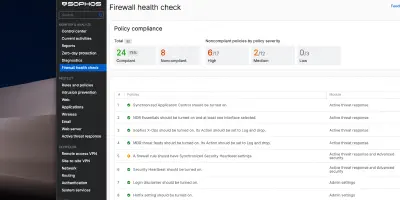
- Health Check as a hint, not a KPI: In v22, Sophos introduced the Health Check (Details in my article Sophos Firewall v22 Health Check - Complete Overview ). This is good as a best-practice checklist, but sometimes feels like “flipping ecosystem switches to green”. Example from practice: Many people activate the Login Disclaimer just to get the green checkmark in the Health Check. What I miss there, however: hard operational indicators like “is the logging/reporting DB healthy?” or “what’s the status of the SSD?” - especially because some appliances experienced storage problems faster than expected.
Conclusion: When the Tool Becomes the Risk
At the end of the day, we are all in the same boat. We manage critical infrastructure and must be able to rely on the tools that are supposed to protect us from chaos not causing the chaos themselves. Sophos definitely has massive homework to do regarding the current firmware quality (v21.5 / v22). Trust in “stable releases” has taken a severe hit for us and many others in the community.
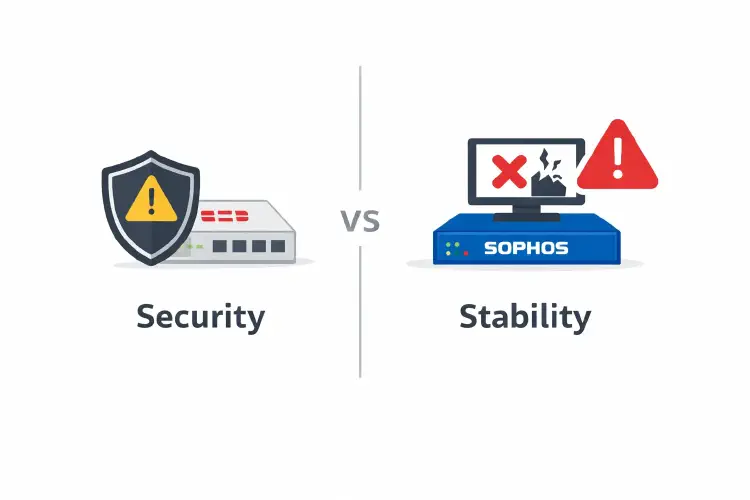
I don’t want a firewall that is “either secure or stable”. I want – no, I need – a firewall that is both.
Until Sophos gets these quality issues under control, we in operations only have one choice: We have to become even more disciplined, stop caring about “green checkmarks” in the UI, and take mundane bugs in deployment planning just as seriously as critical CVEs.
Until next time,
Joe
Sources
- Fortinet PSIRT Advisories
- Sophos Firewall Release Notes v21.5
- Sophos Firewall Release Notes v22.0
- Sophos KIL (Known issues)
- Sophos Community: v22 GA re-release Build 411
- Sophos Community Thread (Let’s Encrypt/WAF)
- Sophos Community Thread (Let’s Encrypt ToS)
- Apache docs: AllowEncodedSlashes
- Sophos KBA (Garner false positive advanced threat)
- RFC 7560 (Accurate ECN)