Which DNS resolver should I use, and when is it worth paying?
Network SecurityTable of Contents
I’d happily use a free DNS service for guest Wi-Fi. I’d consider paying for one for the accounts team in the very same building. Picture a supplier portal that stops loading just before a payment run. Who can find out which domain was blocked? Can they allow it for accounts while keeping the guest Wi-Fi rules in place?
What a DNS filter can see
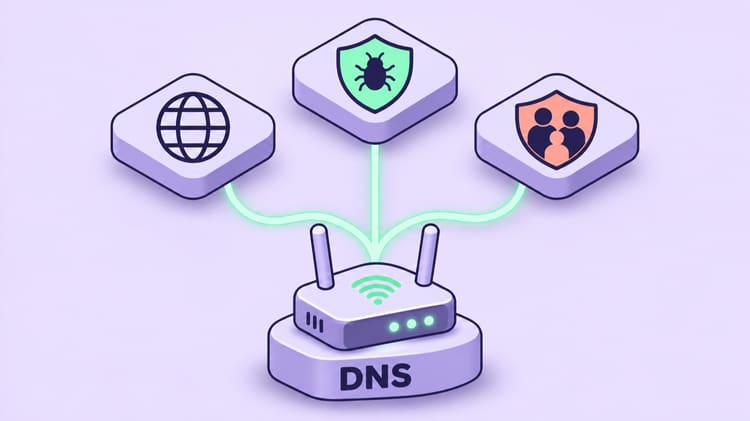
Before a browser connects to portal.example.org, it asks a DNS resolver for an IP address. A recursive resolver answers from its cache or consults the relevant name servers. If a filtering resolver recognises the name as a phishing domain, it can stop the lookup there. That also helps devices with few options for installing security software, such as a meeting-room TV.
Consider two pages on the same site. Opening portal.example.org/invoices or portal.example.org/upload produces the same DNS question. If the second page hosts a malicious file, the resolver can’t single out that file. DNS over HTTPS (DoH) and DNS over TLS (DoT) encrypt the query on its way to the resolver. The operator still sees the name being requested. I want to know whether it logs queries and, if I have my own profile, how much history I can choose to keep.
Free DNS resolvers and what they filter
With Cloudflare, a single digit determines whether the router blocks known phishing domains. Several other providers also tie a particular filter to each address. Here are the IPv4 pairs I’d look for.
The timing column identifies each measurement. “Worldwide” refers to the 30-day DNSPerf snapshot on 24 November 2026. The other figures come from individual connections. Address-specific results refer to the first IPv4 address, while DoH results refer to the encrypted endpoint for that profile. I would only compare figures from the same test.
| Provider | IPv4 addresses | Response time · measurement | What you get |
|---|---|---|---|
| Cloudflare · Standard | 1.1.1.11.0.0.1 | 14.53 ms · worldwide | Public resolver for unfiltered DNS lookups. |
| Cloudflare · Threat blocking | 1.1.1.21.0.0.2 | 6.0–6.9 ms · DoH¹ | Blocks known malware and phishing domains. |
| Cloudflare · Family filter | 1.1.1.31.0.0.3 | 31 ms · Jio | Blocks known malware and phishing domains as well as domains with adult content. |
| Google Public DNS | 8.8.8.88.8.4.4 | 19.32 ms · worldwide | A public resolver with no selectable content filters. Google documents a narrow set of circumstances in which it blocks domains. |
| AdGuard DNS | 94.140.14.1494.140.15.15 | 53.3 ms · Orange Polska | The default service blocks advertising and tracking domains, among others. The family profile uses a separate pair. |
| Quad9 | 9.9.9.9149.112.112.112 | 18.18 ms · worldwide | Blocks known malicious domains and validates DNSSEC signatures. |
| CleanBrowsing · Security Filter | 185.228.168.9185.228.169.9 | 79 ms · Jio | Blocks threats including phishing and malware domains. |
| CleanBrowsing · Family Filter | 185.228.168.168185.228.169.168 | 63 ms · Jio | Also filters adult content and enables SafeSearch on supported search services. |
| OpenDNS · Standard | 208.67.222.222208.67.220.220 | 47.6 ms · Orange Polska | The regular OpenDNS address pair. |
| OpenDNS · FamilyShield | 208.67.222.123208.67.220.123 | 30 ms · Jio | Preconfigured parental controls for home networks. |
| NextDNS | 45.90.28.045.90.30.0 | 32.44 ms · worldwide | These two IPs alone won’t select your profile. For conventional IPv4 DNS, use the servers in your setup page and link your public IP. With DoH, the profile ID goes in the URL. |
| Comodo Secure DNS | 8.26.56.268.20.247.20 | 27 ms · Portland | Public security resolver. Comodo lists custom web filtering and off-network protection under its separate Secure Internet Gateway service. |
| Control D · Unfiltered | 76.76.2.076.76.10.0 | 9.8 ms · DoH¹ | Public resolver without content filtering. |
| Control D · Malware filter | 76.76.2.176.76.10.1 | 10.1 ms · DoH¹ | Free filtering of known malicious domains. |
| DNS4EU · Protective | 86.54.11.186.54.11.201 | 15 ms · GSNW | European service with phishing and malware protection. |
| DNS4EU · With ad blocking | 86.54.11.1386.54.11.213 | 16 ms · GSNW | Adds filtering of advertising and tracking domains to the protective profile. |
On a router, I’d enter both addresses from the same profile. Configure Quad9 alongside Google and a device can ask either one. A domain might be blocked one minute and reachable the next. The same rule applies if the router advertises resolvers over IPv6.
How well does Cloudflare’s 1.1.1.2 block phishing and malware?
Cloudflare runs its free security filter on 1.1.1.2 and 1.0.0.2. When a device asks for the IPv4 address of a hostname Cloudflare considers malicious, the resolver returns 0.0.0.0. You can try this with the harmless test domain malware.testcategory.com. To configure your router, follow Cloudflare’s DNS over HTTPS setup guide. On 24 November I got exactly that answer from the filtered HTTPS endpoint. The unfiltered endpoint returned two ordinary addresses. What surprised me was a plain UDP query to 1.1.1.2 from the same workstation. It returned the ordinary addresses too. I don’t know why. After changing a router setting, I’d repeat the test on a device connected to its Wi-Fi.
How much protection do you get for free? In 2025 Nexxwave tested hostnames from CERT Polska and URLhaus. Of the 39,160 that still resolved, the researchers counted 37,523 as blocked by Cloudflare, or 95.82%. I’m particularly interested in those first few hours when the phishing email is already in someone’s inbox. A November 2026 preprint by Abhijeet Apsunde looked at just that. Working from Atlanta with a sample of 1,723 domains dedicated to phishing, he checked what share of the names that still resolved were blocked at each interval. When they first appeared in the monitored feeds, Cloudflare blocked 17%. That rose to 29% after six hours and 91% after a day.
Would I switch off a firewall’s Cybora threat feed on that evidence? I’d first check which rules depend on it. Depending on the subscription, a Cybora feed can let the firewall block a connection to a listed IPv4 address. There might never be a DNS query. If one URL path on an otherwise legitimate site is dangerous, a firewall with visibility into the HTTPS traffic can act on that path. If you only use the domain feed, the interesting question is which names one service catches earlier and which the other misses. Neither study tested Cybora. For guest Wi-Fi, I’d be comfortable starting with Cloudflare’s filter alone.
How much faster is one DNS resolver than another?
Reading the measurements. DNS Robot used a Jio connection in India on 26 October 2026. The figures are medians of five lookups of a cached name. Orange Polska figures are first-round medians from Quantslant. Portland figures come from the MatchDNS probe there on 18 November. For DNS4EU I used the individual UDP response times from the GSNW monitor on 25 November.
¹ DoH denotes my measurements over DNS over HTTPS. For Control D I queried the same ten public names per profile after a warm-up lookup on 25 November and took the median. The Cloudflare range spans the medians of two runs the previous day.
A Quantslant test on an Orange Polska line on 5 October 2026 shows how much the connection matters. In its first round of UDP lookups for 50 popular domains, Google took 45.3 ms at the median and Quad9 took 22.0 ms. The order can change on another line.
DNSPerf lists Cloudflare’s standard address. I also wanted to time its filtered profile. On 24 November 2026 I compared both profiles over DNS over HTTPS on my connection. For each profile and round, I opened an HTTPS connection, discarded the first query and looked up the same ten public names. I reversed the order of the profiles in round two. The filtered resolver took 6.9 and 6.0 ms at the median, compared with 4.6 and 5.0 ms for the standard service. I’d happily leave the filter on for that difference. Those times apply to an established HTTPS connection on my line.
DNS subscriptions
I’d be most inclined to pay when I need a narrow exception. If my TV needs a blocked domain for streaming, I want to allow it for that device alone. At work, when someone from accounts calls, I want to see which rule applied to their laptop.
| Provider | When I’d consider a subscription |
|---|---|
| NextDNS | For a family or home lab. Profiles and exceptions are already free. Beyond 300,000 queries in a month the free service continues without filtering. Pro removes the cap for personal use. |
| Control D | When a public preset almost fits but the TV needs an exception. A paid plan lets me apply that rule to the TV’s profile alone. |
| Cisco Umbrella | For IT teams that want policies and reports tied to managed laptops, including on hotel Wi-Fi. Cisco’s newer Secure Access – DNS Defense is worth a look when comparing quotes. |
| DNSFilter | For a business with Macs and Windows laptops. The Roaming Client carries the device policy beyond the office and lets support see which machine made the query. |
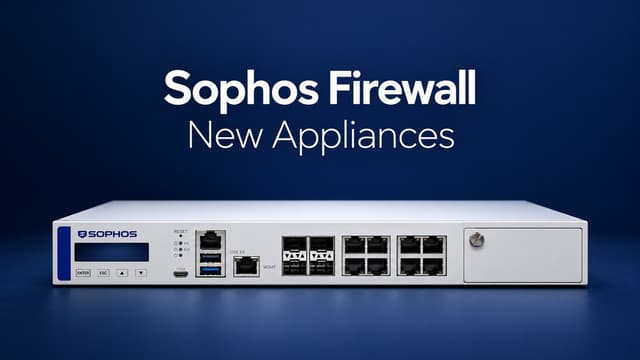
| Sophos DNS Protection | Useful site protection if you already pay for Xstream. Device-level Windows reporting and roaming protection require Workspace Protection and Sophos Endpoint. That’s a closer tie to the Sophos ecosystem than I’d want in a standalone DNS service for a mixed fleet. |
| FlashStart | For schools or IT providers that want central control over content categories and their own allowlists. |
| SafeDNS | When filtering should change with the timetable, such as between lessons and the lunch break. |
What I’d choose at home and at work
At home, I’d start with what I actually want the router to do. For blocking known phishing and malware domains across every device, I’d use Quad9. Cloudflare’s 1.1.1.2 offers the same straightforward setup, and in my own measurements the filter added little delay. If what bothers me is advertising and tracking on the TV and tablet, I’d pick AdGuard DNS. Even that has a limit when an app serves ads from the same hostname as the content I want.
In my home lab, I want to be able to investigate. If a smart plug goes offline after a DNS block, I want to find the hostname it needs and allow it for the IoT devices alone. I’d start with a free NextDNS profile for that. I’d pay for Pro once 300,000 monthly queries no longer covered the lab.
At work, my decision comes back to that call from accounts. If everyone works in one office and Xstream is already paid for, I’d use the Sophos site protection. If staff take Windows laptops and Macs on the road, I’d trial DNSFilter. I’d give the help desk one task: allow the supplier portal on the affected laptop while keeping it blocked on guest Wi-Fi. If my colleague can make the payment and the exception stays on that profile, the subscription has earned its keep.
Until next time,
Joe
Sources
- DNS Robot · Filter profiles on Jio broadband
- MatchDNS · US measurements by probe and IPv4 address
- Cloudflare setup guide and test hostname
- Nexxwave · DNS filter test using CERT Polska and URLhaus (2025)
- Abhijeet Apsunde · How fast do resolvers block new phishing domains? (2026 preprint)
- Cybora · Indicator types and enforcement requirements on Sophos Firewall
- Quantslant · Method and response times on Orange Polska broadband
- NextDNS · Associating a profile with a public IPv4 address
- Cisco · Policies, identities and reports
- DNSFilter · Device identification and logging by deployment type
- Sophos · Windows endpoint integration and reporting