Ladybird’s first alpha puts a new browser engine to the test
ToolsTable of Contents
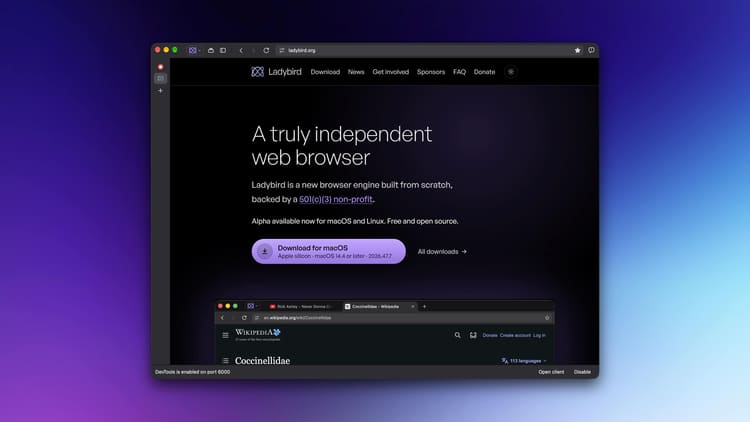
When I opened my blog in Ladybird on the evening of November 23, it looked reassuringly familiar. The big SIEM headline on the left, the illustration on the right, the next row of stories underneath. What caught my attention was how it got there. Ladybird is an open-source browser with an engine of its own. The team built it independently of Chromium and WebKit. As of November 23, 2026, you can download the alpha for macOS and Linux. Until now, trying the browser meant compiling it yourself. Andreas Kling’s alpha announcement
What changes underneath the tabs
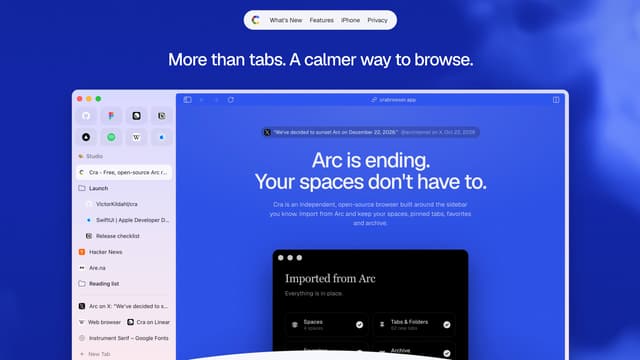
Cra, the browser I currently use, is a good example of how much the interface matters. Its sidebar and Spaces earned it a place on my shortlist of Arc replacements. When I open a website in Cra, Chromium takes over. Chrome and Cra can feel quite different to me while interpreting the same CSS in the same way.
Ladybird uses LibWeb to render the page. When the headline on my blog wraps, that code has worked out where to start the next line from the font size, the available space and the CSS rules. Ladybird also has its own JavaScript implementation, LibJS. Both libraries have roots in SerenityOS. The source is available under the two-clause BSD license. The nonprofit behind the browser says it rules out paid deals for default search placement.
Work on Gecko, the engine in Firefox, began in 1997. Safari’s WebKit grew out of KHTML in 2001. Chrome originally used WebKit too. In 2013 the Chromium project forked it to create Blink, which now powers Chrome and Cra. Another engine, Servo, started at Mozilla Research in 2012 to explore ideas such as parallel rendering in Rust. Today it is an independent project building an engine for embedding in applications.
I love that an independent team is taking this on after all these years. They can open a web specification and decide for themselves how to turn it into code. I can already try their answers on my own site. Whether Ladybird uses less memory would take a separate test.
The first tab on my Mac
Ladybird offered me ten search engines at startup, including Kagi and Mojeek. I could also skip the choice. The layout was an easier decision. I like my tabs on the left and the address bar at the top. If you prefer to keep both in the sidebar, you can choose that on the same welcome screen.

My first real page was the English trueNetLab blog index. I know what it should look like. A long headline next to a lead image leaves little room for error. Font metrics, line breaks and column widths all have to work together. In this window Ladybird laid out the page the way I know it.

Next I clicked the magnifying glass and typed “SIEM”. The search returned twelve results. My comparison of Wazuh and Sophos came first, with links to individual sections underneath. Clicking the title opened the SIEM article. This gave me a chance to try a feature that relies on JavaScript to query the search index and display the matches in the open dialog.
One small feature I appreciate in an everyday browser is being able to see exactly which lists its content blocker uses. My settings show EasyList enabled for ads and EasyPrivacy for tracking. The separate cookie notice list is off. I can add another list or enter an individual Adblock-compatible rule.

Running Speedometer in Ladybird and Cra
Next I wanted to see how the alpha handled a web app where things keep changing. Speedometer simulates user interactions. In one workload it adds 100 items to a to-do list, checks them off and removes them. The overall score combines several workloads. A higher score is better. It means the browser completed the simulated interactions faster.
| Browser on macOS | Benchmark | Score |
|---|---|---|
| Ladybird alpha | Speedometer 3.1 | 20.3 ± 1.2 |
| Cra | Speedometer 3.1 | 53.1 ± 4.8 |


My MacBook Air with an Apple M5 had Ladybird Alpha 2026.47.7 and Cra 0.1.54 installed that evening. Both scores come from Speedometer 3.1 and cover ten iterations each.
Running in an incognito window, Cra earned about 2.6 times Ladybird’s score on these workloads. Measuring how quickly my blog index loads would take a separate test. I now have a baseline for another run after a few alpha updates.
Where an alpha can challenge Chrome
Chrome already has a say in how my website works if I test it only in Chromium and call it finished. Some quirk of Blink, Chromium’s rendering engine, can quietly become something my site depends on. Firefox and Safari already give me other implementations to check against in Gecko and WebKit. Now I can open the same URL in Ladybird. If a column slips out of place, I have a specific question to investigate. Did I rely on a Chromium behaviour, or is Ladybird still missing a piece of CSS?
That’s exactly where the alpha comes in. I can report a broken site from the browser. After a crash, I can read the report and decide whether to send it. Ladybird supports WebDriver for automated tests and the Firefox DevTools protocol for debugging. The rolling alpha channel will deliver regular automatic updates. The team expects crashes and explicitly makes no security promises for this early release.
Cra is still my everyday browser. The next time I change the layout on trueNetLab, I’ll open the page in Ladybird too. A week ago that would have meant compiling the browser myself. Today it takes one more tab. Download Ladybird for macOS and Linux
Until next time,
Joe